Your phone buzzes on the desk while you’re mid-spreadsheet, your tablet sits idle next to your laptop, and the file you need is on a third device. That’s the exact mess GlideX MOD APK is built to fix. It’s ASUS’s cross-device tool that turns your phone or tablet into a second display, mirrors your phone onto your PC, and lets one keyboard and mouse run every screen you own. In this APKPoor guide, I’ll show you exactly what it does, which features need ASUS hardware, and the one “Premium Unlocked” claim you should stop believing.
Here’s the honest headline first: GlideX MOD APK is a free screen-sharing and control app — there is no paid premium version to unlock, and the file on this page is the official latest build, not a modified one. The real catch isn’t price, it’s hardware: the best features (two-device mirroring, calls, Shared Cam, Remote Access) are reserved for ASUS devices, and everyone else gets the solid but smaller General feature set. If you still want it, this guide shows you how to set it up in about five minutes.

What is GlideX MOD APK? GlideX MOD APK is the Android build of ASUS GlideX, the free cross-device app that mirrors your phone screen on your PC, turns your phone or tablet into a second display, and lets one keyboard and mouse control multiple devices. The latest version is 4.3.0.0.2608.31.
Download GlideX MOD APK (v4.3.0.0.2608.31)
GlideX MOD APK App Info
GlideX MOD APK v4.3.0.0.2608.31 is the latest version of ASUS’s screen-sharing tool, built by ASC, ASUSTeK COMPUTER INC. The table below has the current facts, sourced from APKPure, APKFab, APKMirror, and ASUS’s own product page.
| Detail | Info |
|---|---|
| App Name | GlideX |
| Developer | ASC, ASUSTeK COMPUTER INC. |
| Latest Version | 4.3.0.0.2608.31 (released September 29, 2026, per APKPure) |
| Size | 80.8 MB APK download (per APKPure; APKFab lists 80.78 MB) |
| Package | com.asus.glidex |
| Android Required | 9.0+ (per APKPure and APKFab) |
| Category | Tools |
| Content Rating | Everyone |
| Price | Free download — there is no paid premium tier |
| Companion App | GlideX for Windows (Windows 10/11) or GlideX for macOS required |
| Connection | Wi-Fi or USB; pairing by QR code or ASUS account |
What’s New in v4.3.0.0.2608.31: GlideX MOD APK’s latest build is a maintenance release — APKFab’s changelog lists “UI improvements” and “bug fixes and stability enhancements” and nothing else. Don’t expect new features here; the value is in the fixes. One practical note: some mirror listings were still showing the older 4.1.1.0 build (June 2026) when we checked, so if you compare stores and see different “latest” versions, trust APKMirror or APKFab for the newest build number.
80.8 MB
Download size
v4.3.0
Latest version
Free
No premium tier
Android 9.0+
Minimum version
Pro Tip: Before you install anything, check the package name. This post covers ASUS GlideX (package com.asus.glidex). Unrelated apps reuse the GlideX name, so verify the package and the developer (ASC, ASUSTeK COMPUTER INC.) before you trust any download claiming to be GlideX MOD APK.
Reality Check: The old version of this post called this app “Premium Unlocked.” We removed that claim because it doesn’t hold up — GlideX is free, there is no paid premium subscription, and the gated features are tied to ASUS hardware, not to payment. MOD sites still advertise a “Premium Unlocked” build for an older version (v4.0.6.0.2602.06), but we found no verified MOD build for the latest version, and the file offered on this page is the official v4.3.0.0.2608.31 APK — not a modified build.
GlideX MOD APK Features
GlideX MOD APK does four big things — mirror, extend, unify control, and file transfer — plus a set of ASUS-only extras. The core four work on any Windows or Mac computer, which is why GlideX MOD APK is worth installing even if you don’t own a single ASUS device.
Screen Mirror — your phone, on your PC
Screen Mirror in GlideX MOD APK puts your phone’s display in a window on your computer, and you drive it with your PC’s keyboard and mouse instead of the phone’s cramped virtual keyboard. Reply to messages, tap through apps, and type long texts at full-keyboard speed. Here’s the thing most guides skip: the Home, Back, and Recent buttons in the mirrored window’s menu bar need the Accessibility permission on Android. Mirror works without it — you just can’t use those three on-screen buttons. Grant Accessibility once and GlideX MOD APK’s mirrored window feels native.
Screen Extend — your phone or tablet becomes a second monitor
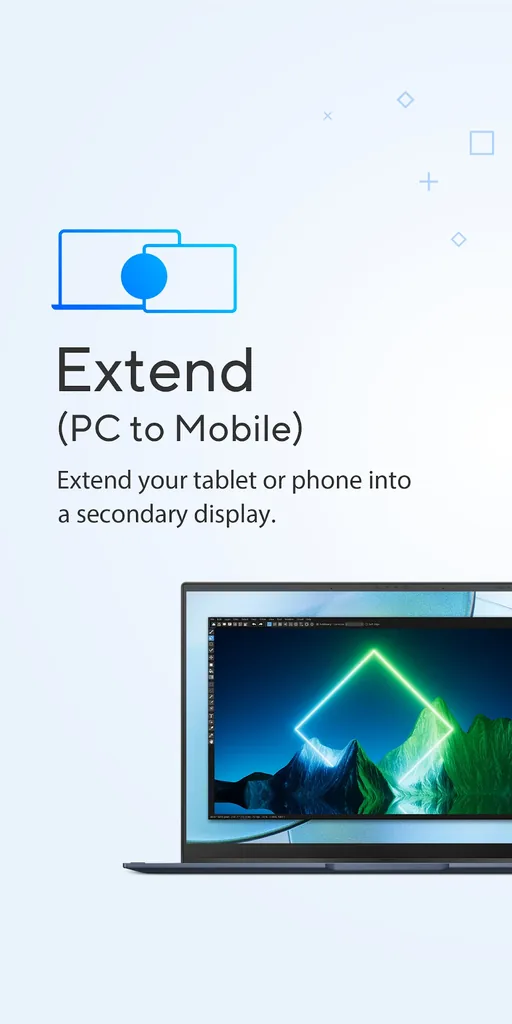
Screen Extend is the feature that made GlideX MOD APK famous, and it’s the one competitors mostly can’t match. Instead of duplicating your phone screen, it turns your phone or tablet into an extra Windows display — Windows treats it like a real second monitor, so you drag windows onto it, park a chat app there, or keep a reference document open while you work on the main screen. On ASUS hardware, you can extend to two devices at once in native quality; on other hardware, GlideX MOD APK gives you one device at FHD quality. That’s still a free second monitor you already own.
Unify Control — one keyboard and mouse for every device
Unify Control is the quiet star of GlideX MOD APK. Instead of mirroring anything, it links your devices so one mouse and keyboard control them all — slide the cursor off the edge of your PC screen and it lands on your tablet, which keeps running its own apps independently. It’s a software KVM, and it also enables drag-and-drop file sharing between the linked devices. If you juggle a laptop, a tablet, and a phone on one desk, GlideX MOD APK’s Unify Control is the feature you’ll use every single day.
File Transfer — drag, drop, done
File Transfer in GlideX MOD APK is exactly what it sounds like: drag a file into the transfer window and it lands on the other device, many times faster than old Bluetooth transfers. Transfers between devices on the same network have no cap, but here’s a limit most MOD sites never mention — devices on different networks share up to 1 GB per day, per APKPure’s listing. Same-network transfers in GlideX MOD APK also never touch the cloud, so sensitive files stay on your own network. The Activity Feed logs every transfer with file names, sizes, and status, so you can confirm what actually arrived.
ASUS-only extras: calls, Shared Cam, Remote Access, App Streaming
This is where GlideX MOD APK splits into two apps. On ASUS hardware (the “ASUS Exclusive” tier), you get Communication (make and take phone calls through your PC’s speakers and mic, with phone contacts on your desktop), Shared Cam (use your phone’s camera as a webcam in Zoom, Skype, and other apps), Remote Access (browse your ASUS PC’s files from your phone anywhere, plus Remote Desktop — not supported on Windows 10 Home), and App Streaming (run supported apps from a compatible ASUS phone on your PC). On non-ASUS hardware, these extras aren’t available. Let’s be honest: if you’re installing GlideX MOD APK specifically for calls and webcam sharing, check the ASUS requirement before you install, not after.
Phone Album and URL Share
Two smaller tools round out GlideX MOD APK. Phone Album lets you browse your phone’s photos from your PC, download several at once, or delete shots to free storage — much like Phone Link’s Photos section. URL Share sends the webpage open in your PC browser to your phone (or another PC) with one click, where it opens automatically. Neither is a headline feature, but both kill a daily annoyance: emailing yourself links and photos.
User-review sentiment for GlideX MOD APK is unusually practical: people who bought it for Screen Extend love it and call it a free second monitor, while the complaints cluster around two things — lag on weak Wi-Fi, and disappointment when the ASUS-only features don’t appear on non-ASUS hardware. Both complaints are really about expectations, and this guide’s comparison table below should set yours correctly.
GlideX MOD APK vs Phone Link, Samsung Flow and scrcpy
GlideX MOD APK isn’t the only way to connect a phone to a PC — but it’s the only free one that covers mirroring, extending, and unified control in a single app. Here’s how it stacks up against the three alternatives people actually compare it with.
| Feature | GlideX | Microsoft Phone Link | Samsung Flow | scrcpy |
|---|---|---|---|---|
| Price | Free | Free | Free | Free, open-source |
| Screen Mirror | Yes (1 device FHD general; 2 devices native on ASUS) | Yes, select Android devices | Yes (Smart View) | Yes, USB or Wi-Fi |
| Screen Extend (2nd display) | Yes — phone/tablet as extra monitor | No | No | No |
| Unify Control (one keyboard/mouse) | Yes | No | No | No (mirror control only) |
| File Transfer | Yes, drag and drop; 1 GB/day cap across different networks | Yes (photos/files; iPhone support rolling out) | Yes + clipboard sync | Manual (ADB/file push) |
| Calls & notifications on PC | Yes, ASUS hardware only | Yes | Yes | No |
| Platforms | Windows, macOS, Android, iOS | Windows + Android (basic iPhone) | Windows + Galaxy Android | Windows, macOS, Linux + Android |
| Ease of use | Easy — QR pairing, visual app | Easy — built into Windows | Easy — but fading | Technical — command line, no GUI |
| Best for | Second display + multi-device desk | Messages, calls, photos on Windows | Galaxy owners who already use it | Developers, low-latency mirroring |
The verdict from the table: if you want a second display or a one-mouse desk, GlideX MOD APK wins outright — nothing else free does Extend plus Unify Control. If you mainly want messages, calls, and photos on a Windows PC, Phone Link is the better tool, and it’s already on your machine. Samsung Flow made sense for Galaxy owners a few years ago, but Phone Link has absorbed most of its job. And scrcpy is the pick over GlideX MOD APK when you want raw, low-latency mirroring and don’t mind a command line — it’s brilliant, but it’s not a second monitor.
GlideX MOD APK Pros and Cons
GlideX MOD APK is free, cross-platform, and genuinely useful — and its biggest weakness is that its best features are hardware-gated. Weigh both sides before you install it.
| Pros | Cons |
|---|---|
| ✅ Completely free — no subscription, no paid premium tier | ❌ Best features (calls, Shared Cam, Remote Access, App Streaming) need ASUS hardware |
| ✅ Screen Extend turns a phone/tablet into a real second monitor | ❌ Non-ASUS mirroring limited to 1 device at FHD quality |
| ✅ Unify Control: one keyboard and mouse across PC, tablet, and phone | ❌ Mirroring can lag on weak or 2.4 GHz Wi-Fi |
| ✅ Works on Windows, macOS, Android, and iOS — not just Windows | ❌ Cross-network file transfers capped at 1 GB/day |
| ✅ Local Wi-Fi/USB transfers — files don’t need the cloud | ❌ Needs the PC companion app — the phone app alone does nothing |
| ✅ QR-code pairing takes under a minute | ❌ No verified MOD build for the latest version — “Premium Unlocked” claims are unverified |
How to Download and Install GlideX MOD APK
GlideX MOD APK installs like any sideloaded APK — but remember, the phone app is only half the setup. You also need GlideX for PC before anything will connect. The whole process takes about five minutes.
- Download the APK from the download button on this page (v4.3.0.0.2608.31, 80.8 MB, official APK file).
- Allow unknown sources: open Settings → Security (or Apps → Special access) and allow “Install unknown apps” for your browser or file manager.
- Install the file: open the downloaded APK from your notifications or file manager and tap Install.
- Install GlideX for PC: on your computer, get GlideX for Windows (Windows 10/11, from the Microsoft Store) or GlideX for macOS — the mobile app can’t do anything without it.
- Pair the devices: open GlideX MOD APK on your phone and GlideX on your PC, then pair by scanning the QR code shown on the PC, or sign in with the same ASUS account on both.
- Connect: put both devices on the same Wi-Fi network, or plug in a USB cable for a direct link. For PC control features, complete the Bluetooth pairing prompt and allow it on the phone.
- Grant permissions: allow the permissions GlideX asks for — including Accessibility if you want the Home/Back/Recent buttons in the mirrored window — then pick Mirror, Extend, or Unify Control inside GlideX MOD APK.
Pro Tip: Use 5 GHz Wi-Fi or a USB cable for mirroring and extending — 2.4 GHz Wi-Fi is the most common cause of lag. If the mirror still stutters, open GlideX settings on the PC and switch the streaming quality to Manual/Dynamic mode, which trades a little sharpness for smooth motion.
GlideX MOD APK FAQs
These are the questions people actually ask about GlideX MOD APK — including the free-versus-premium confusion and the non-ASUS question that decides whether the app is worth installing. If you’re weighing up GlideX MOD APK, start here.
Is GlideX free?
Yes, GlideX is free. There is no paid premium subscription for GlideX MOD APK — the app is free to download and free to use on Android, Windows, and macOS. The features that some sites call “premium” are actually ASUS Exclusive features, which are unlocked by using ASUS hardware, not by paying. If a site asks you to pay for a “GlideX premium” build, treat it with suspicion.
Is GlideX MOD APK safe?
The official GlideX app is safe — it’s made by ASUS, transfers files over your local Wi-Fi or USB without cloud uploads, and pairs by QR code or ASUS account. MOD APK files are a different story: modified builds from third-party sites can hide malware, and no verified MOD build exists for the latest version. The file on this page is the official v4.3.0.0.2608.31 APK, which is the safest way to install GlideX outside Google Play.
Does GlideX work on a non-ASUS PC or laptop?
Yes, GlideX works on non-ASUS PCs and laptops. GlideX MOD APK runs on Windows and macOS computers from any brand, and you can use Mirror, Extend, Unify Control, and File Transfer. What changes on non-ASUS hardware is the tier: you get the General feature set (1 device at FHD quality) instead of the ASUS Exclusive set (up to 2 devices at native quality, plus calls, Shared Cam, Remote Access, and App Streaming).
Does GlideX work with iPhone and Mac?
Yes, GlideX works with Apple devices. GlideX MOD APK supports macOS, iPhone, and iPad as part of its cross-platform design. On macOS, GlideX supports Extend from PC to PC and Unify Control from PC to PC, so a Mac can act as an extra display or share a keyboard and mouse with another computer. Feature availability still depends on the connected device’s capabilities.
GlideX vs Phone Link — which is better?
GlideX vs Phone Link comes down to what you need. GlideX MOD APK is better if you want a second display, one keyboard and mouse across devices, or a Mac companion app — Phone Link does none of those. Phone Link is better if you mainly want messages, calls, notifications, and photos on a Windows PC, since it’s built into Windows and its calling and messaging features work on any PC, not just ASUS hardware.
How do I connect GlideX to my PC?
To connect GlideX to your PC, install GlideX on your Android device and install the GlideX companion app on your PC (Windows 10/11) or Mac. Open GlideX on both devices, pair by scanning the QR code shown on the PC or by signing in with the same ASUS account, then connect over the same Wi-Fi network or a USB cable. After pairing, pick Mirror, Extend, Unify Control, or File Transfer and follow the on-screen prompts.
Why is my GlideX mirror laggy?
GlideX mirror lag is usually caused by a weak or 2.4 GHz Wi-Fi connection. Switch to 5 GHz Wi-Fi or connect with a USB cable for the smoothest mirroring. If it still stutters, open GlideX settings on the PC and switch streaming quality to Manual or Dynamic mode, close bandwidth-heavy apps on both devices, and keep the phone close to the router. Extending to two devices at once also needs more bandwidth than a single mirror.
Does GlideX need internet to work?
No, GlideX does not need internet for its core features. GlideX MOD APK mirrors, extends, and transfers files over your local Wi-Fi network or a USB cable, so the traffic stays between your own devices. You only need internet for Remote Access (reaching your PC’s files from away from home) and for signing in with an ASUS account if you pair that way instead of a QR code.
GlideX MOD APK Verdict
GlideX MOD APK is one of the most genuinely useful free tools in this category. Judged as GlideX MOD APK — the free ASUS screen tool, not the fantasy “Premium Unlocked” build MOD sites advertise — it does three things nothing else free does: it turns a phone or tablet into a real second monitor, it puts a full KVM-style one-mouse desk in your pocket, and it works across Windows, Mac, Android, and iOS. GlideX MOD APK’s core features work on any hardware, pairing takes a minute, and local transfers keep your files off the cloud.
But let’s be honest about the rest. The headline extras — calls, Shared Cam, Remote Access, App Streaming — are ASUS-only, and no verified MOD build unlocks them on other hardware for the latest version. If you install GlideX MOD APK on a non-ASUS laptop expecting the full ASUS feature set, you’ll be disappointed, and that disappointment is the single biggest source of bad reviews for GlideX MOD APK, an otherwise excellent app.
The verdict: install GlideX MOD APK if you want a free second display or a one-keyboard desk — it’s the best free tool for that job, full stop. If your main need is messages and calls on a Windows PC, use Phone Link instead. And if you own ASUS hardware, GlideX goes from a good free tool to the obvious one, because the Exclusive tier closes the only real gap it has.
Related Posts:
Stream and control your PlayStation from your phone.
Stream games from your PC to your phone or tablet.
What’s New of GlideX
2.3.1.0 - UI improvements - Bug fixes and stability enhancements
Control your drone remotely from your Android phone.
All Versions